Editorial note: Integration features may vary depending on Deel products, countries and account settings. Always verify the latest connection requirements inside Deel and Xero before automating accounting workflows.
Quick answer
Yes, Deel integrates with Xero to help companies synchronize contractor invoices, payment records and accounting information. The integration is designed for businesses that use Deel for global hiring, contractor payments or EOR services while using Xero as their accounting platform.
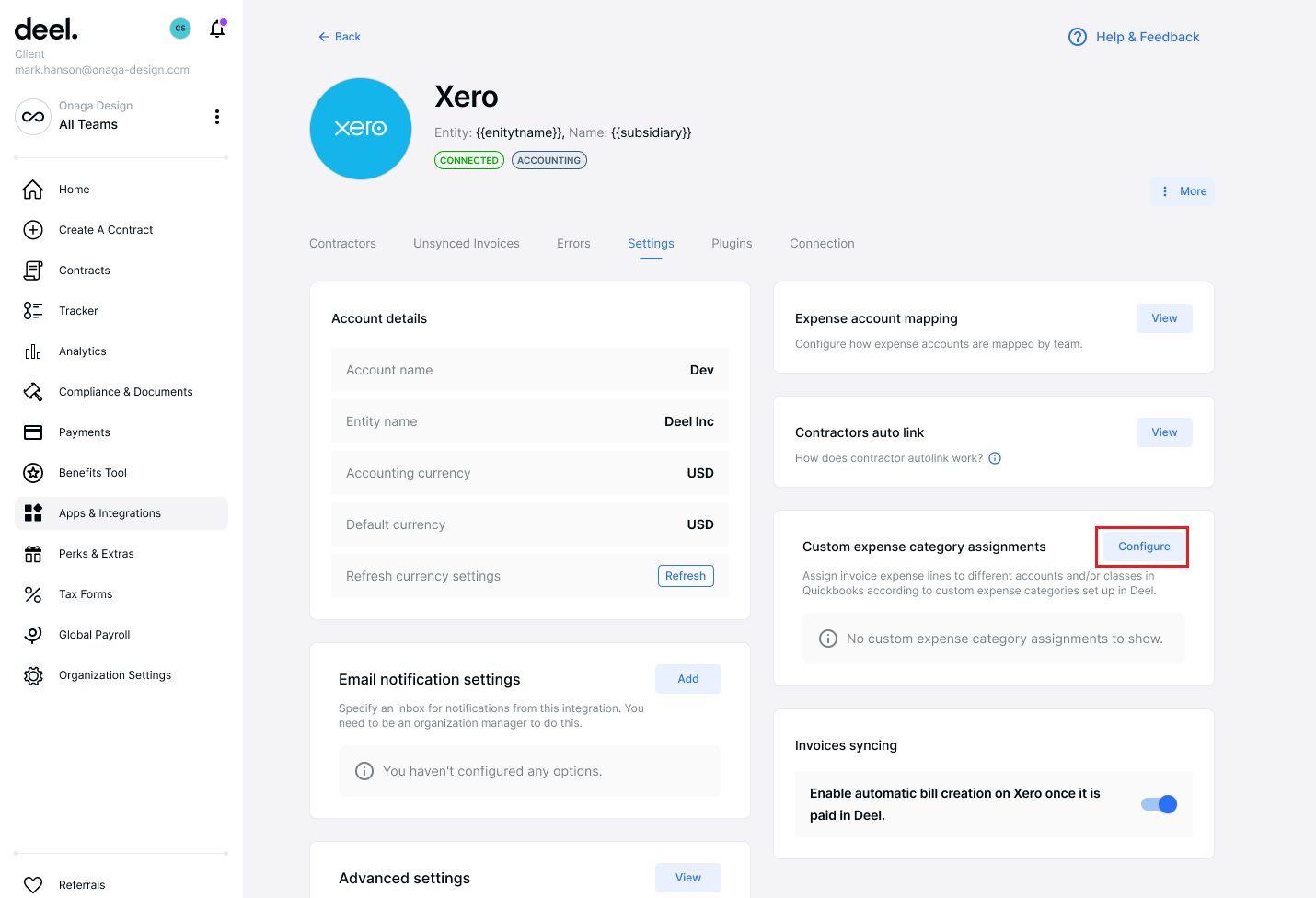
The key question is not only whether Deel connects with Xero, but whether the integration matches your finance workflow: vendor management, invoice approval, account mapping, currencies and month-end reconciliation.
What Deel Xero Integration is used for
- Invoice synchronization: Automatically transfer Deel invoices into Xero accounting workflows.
- Vendor management: Create and match contractor vendors for cleaner bookkeeping.
- General ledger mapping: Assign Deel expenses to the correct Xero accounts.
- Multi-currency accounting: Support global payments across different currencies.
- Document management: Keep invoices and supporting files connected with financial records.
How to set up Deel Xero Integration
Connecting Deel with Xero usually requires only a few configuration steps, but finance teams should review accounting settings before enabling automatic synchronization.
| Step | Action | Why it matters |
|---|---|---|
| 1 | Check permissions | You need Deel admin access and Xero authorization permission. |
| 2 | Connect Xero | Authorize Deel to access your Xero organization. |
| 3 | Select organization | Ensure the correct Xero entity is connected. |
| 4 | Configure account mapping | Prevent incorrect expense categorization. |
| 5 | Test synchronization | Confirm invoices and payments appear correctly before automation. |
How Deel + Xero improves finance operations
Without integration, finance teams often download invoices from Deel, manually create vendor bills and reconcile payments inside Xero.
For companies managing international workers, this process becomes difficult because every contractor may have different currencies, payment schedules and expense categories.
Deel Xero integration creates a smoother workflow:
- Contractor payment processed through Deel.
- Invoice information transferred to Xero.
- Expense categories mapped automatically.
- Finance team reviews accounting records.
Deel Xero Integration features explained
Automatic invoice sync
The biggest advantage is reducing manual bookkeeping. Instead of entering every contractor invoice manually, finance teams can synchronize invoice information directly into Xero.
Account and expense mapping
Businesses can organize contractor expenses based on their accounting structure, making financial reports easier to manage.
Multi-currency support
Global companies often pay workers in EUR, GBP, USD and other currencies. Connecting Deel with Xero helps finance teams maintain cleaner international accounting records.
Document synchronization
Invoices and supporting documents can remain connected with accounting transactions, improving audit preparation and financial visibility.
When Deel + Xero is a good fit
Deel Xero integration is especially useful for companies that:
- Hire international contractors.
- Operate remote-first teams.
- Manage multiple currencies.
- Need better month-end accounting workflows.
- Want fewer spreadsheet-based finance processes.
When Deel Xero integration may not be enough
Companies with complex ERP requirements, multiple subsidiaries or highly customized approval workflows should evaluate the exact data mapping before implementation.
An integration connection alone does not guarantee a perfect accounting workflow. Finance teams should review vendor rules, account mapping, payment status handling and reconciliation requirements.
Deel Xero vs Deel QuickBooks Integration
| Deel + Xero | Deel + QuickBooks | |
|---|---|---|
| Global teams | Excellent | Good |
| Multi-currency accounting | Excellent | Good |
| SMB accounting | Excellent | Excellent |
| Accountant adoption | Very strong | Very strong |
Choose Xero if your company already uses Xero as the main accounting platform, especially for international operations and multi-currency reporting.
Best alternatives to compare
- Remote: Compare if your main requirement is global EOR employment.
- Papaya Global: Compare if you need enterprise global payroll management.
- Rippling: Compare if HR, IT management and payroll automation are part of the same platform decision.
Need help choosing payroll software?
Get a shortlist based on your company size, worker type, countries and accounting system.